
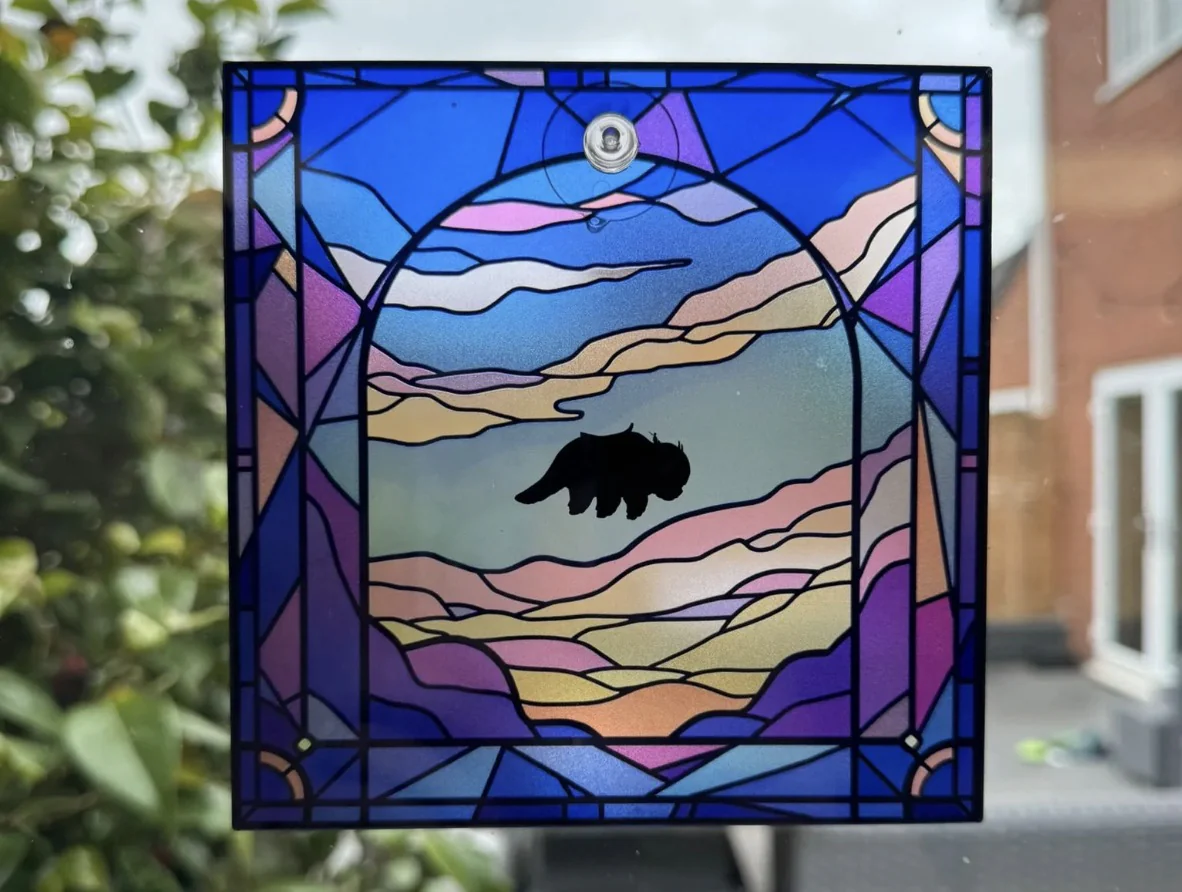
Printing directly on glass used to be a niche, high‑setup process. With compact UV printers like the eufyMake E1, it’s now realistic for studios, schools, and small businesses to create durable, full‑color glass prints in‑house.
In this guide, we’ll walk through how UV glass printing works, the basic workflow, and when a compact machine is the right choice for your shop.
Why UV Printing Works So Well on Glass

Glass is smooth, non‑porous, and usually transparent, which makes adhesion and color density tricky for traditional printing methods. UV printers solve this by using inks that cure instantly under ultraviolet light instead of soaking into the surface.
Key benefits of UV printing on glass:
-
Direct printing: Your artwork is printed straight on the glass—no separate transfer paper or heat press.
-
Instant curing: UV light hardens the ink as it’s laid down, so prints are dry and handleable immediately.
-
Vivid color and 3D texture: Layered white and color ink can create opaque, high‑contrast images and even raised effects.
The eufyMake E1 adds 3D‑texture capability (up to several millimeters of raised ink), so you can go beyond flat graphics to tactile logos, embossed labels, or faux stained glass.
What You Need to Print on Glass
To get consistent results, plan for both hardware and surface prep:
-
A UV flatbed or small‑format UV printer (e.g., eufyMake E1)
-
UV ink compatible with hard surfaces like glass, metal, acrylic, and coated wood
-
Clean, lint‑free glass (panels, coasters, bottles, awards, etc.)
-
Adhesion promoter (primer) formulated for glass
-
Optional: rotary attachment for bottles or mugs, simple jigs for repeatable positioning
On innoaddi.com, the eufyMake E1 3D‑Texture UV Printer is designed exactly for this kind of work—short‑run, high‑value items across many materials.
Step‑by‑Step: How to Print on Glass
1. Clean the Glass Thoroughly

Any dust, fingerprints, or oil will weaken adhesion.
-
Wipe the glass with a lint‑free or microfiber cloth and isopropyl alcohol.
-
Remove stubborn residue with deionized water or a bit of acetone.
-
Handle with gloves once clean and let it dry completely.
2. Apply a Glass Adhesion Promoter
Because glass is so smooth, ink needs help to grip.
-
Use a dedicated glass primer/adhesion promoter and follow the manufacturer’s instructions.
-
Wipe or spray a thin, even layer on the print area and allow it to flash off.
-
Test on a spare piece to confirm adhesion before moving into production.
Some shops also experiment with flame treatment for high‑wear items like drinkware, but always verify compatibility with your ink system first.
3. Prepare Your Artwork
Good prep minimizes surprises at the printer.
-
Work with high‑resolution artwork (around 300 DPI at final size).
-
Keep important details away from edges and curves.
-
If you’re printing on clear glass, plan for an opaque white layer under your CMYK so colors don’t look washed out.
If you’re using the eufyMake software stack, color management and ink layering are largely automated, which lowers the barrier for beginners.
4. Position and Secure the Glass on the Bed
Accurate alignment is what separates casual prints from production‑ready work.
-
Use the printer’s bed markers, simple jigs, or stops to place your glass in a repeatable position.
-
For flat panels, low‑tack tape or a jig is usually enough to keep the piece from shifting during printing.
-
For bottles or mugs, a rotary fixture allows the printer to wrap the design around curved surfaces.
Glass reflects UV light; on many printers, you’ll want to mask unused reflective areas with dark tape or paper to avoid stray reflections into the printhead. Newer compact systems integrate shielding and light control to reduce this risk.
5. Align the Design in Software

Now match your artwork to the real‑world position of the glass.
-
Open your control software, connect to the printer, and load a live preview or snapshot of the bed.
-
Drag, scale, and rotate the artwork until it lines up with the physical glass piece.
-
Save templates for repeated jobs like coasters, plaques, or standard bottle sizes.
This workflow is particularly powerful when you run small‑batch personalization or on‑demand designs for clients.
6. Configure Layers: White, Color, and Texture
To make designs pop on transparent glass, layer order matters.
Common approaches:
-
For full‑color panels: print white underbase first, then CMYK color on top.
-
For rich text or logos: stronger color passes and possibly an extra varnish or clear layer.
-
For 3D texture: add multiple texture/varnish passes to build raised effects (e.g., embossed logos, faux lead lines for “stained glass”).
Your exact recipe will depend on the artwork and the look you’re after, but as a rule of thumb: never skip white ink on clear glass if you want solid, saturated colors.
7. Print and Cure

Once everything is dialed in:
-
Send the job from the software and confirm ink usage/time estimates.
-
Start the print; the machine will apply each layer and cure it instantly with UV light.
-
When the job finishes, the print is already dry to the touch and can usually be handled immediately.
Most shops still let finished glass pieces sit for a while (often up to 24 hours) before heavy handling or adhesion testing.
8. Inspect and Test Adhesion

Before you commit to production:
-
Visually check for banding, pinholes, or misalignment.
-
After curing, perform a simple tape test: press strong tape on the printed area and peel it off sharply; good adhesion means the ink stays put.
-
Adjust primer, cleaning, or curing settings if you see flaking or lifting.
Popular Glass Printing Projects

With a compact UV system, you can offer:
-
Custom coasters and glass tiles with logos or full‑color artwork
-
Photo panels and wall art with a frameless, modern look
-
Branded bottles, jars, and drinkware using a rotary attachment
-
Awards, plaques, and signage with raised or metallic‑effect details
-
Faux stained glass and textured decorative panels
Because you can also print on metal, acrylic, wood, and more with the same machine, glass becomes just one part of a broader personalization workflow.
Is a Personal UV Glass Printer Right for You?

For home studios, schools, and small businesses, a compact UV printer like the eufyMake E1 hits a sweet spot between capability and complexity:
-
Prints on glass, metal, acrylic, coated wood, and many other substrates
-
Supports raised textures for premium, tactile finishes
-
Packs color management and workflow tools into a relatively simple interface
If you’re already using innoaddi.com for 3D printing and digital fabrication equipment, adding UV glass printing can open new revenue streams in custom merch, signage, awards, and décor—without outsourcing.
BUY YOUR 3D PRINTER HERE


