
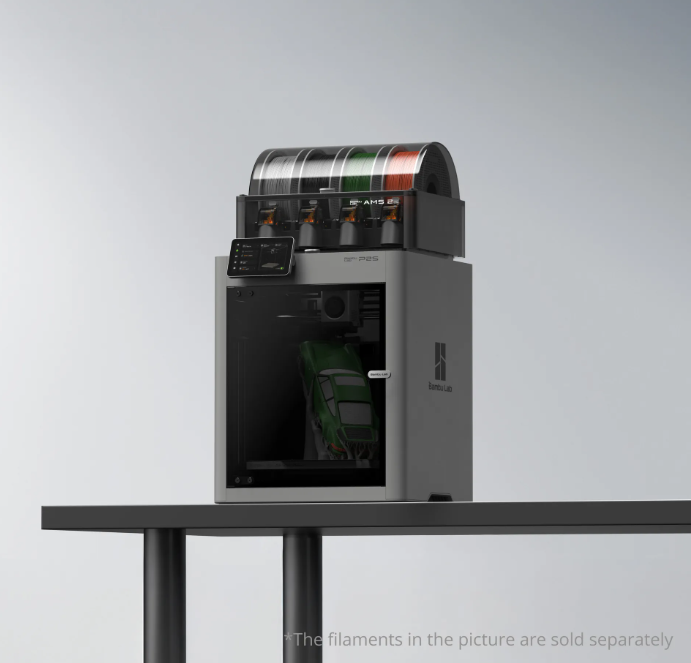
The 3D printing community has been buzzing since the launch of the Bambu Lab P2S. As the successor to the "workhorse" P1S, the P2S brings high-end features from the professional H-series down to a more accessible price point.
But if you already have a P1S, or you’re looking to buy your first enclosed printer, the question is simple: Is the P2S worth the extra investment?
At InnoAddi, we’ve put both machines head-to-head. Here is the breakdown of the major changes and our honest recommendation.
1. The Screen: From Buttons to Touch
The most immediate change is the interface. The P1S used a small, monochrome screen with physical buttons that felt a bit dated. The P2S features a 5-inch color touchscreen running the new 2nd-Gen UI.
-
The Verdict: This isn't just about looks. The new UI allows you to change nozzle sizes, manage filaments, and calibrate flow directly from the printer without opening your laptop. It makes the "daily drive" significantly smoother.
2. The "Game Changer": Quick-Swap Nozzles
Changing a nozzle on the P1S required unscrewing components and handling delicate, tiny wires. The P2S uses a 1-clip quick-swap system.
-
The Verdict: You can now swap from a 0.4mm nozzle to a 0.6mm for carbon fiber in about 30 seconds. If you regularly switch between detail work and functional parts, this feature alone justifies the upgrade.
3. Smarter Cooling: The Adaptive Airflow System
In the past, printing PLA in an enclosure could lead to "heat creep" and clogs unless you left the door open. The P2S introduces Adaptive Airflow. It can draw in cool air from outside the chamber while keeping the door closed.
-
The Verdict: This allows for quieter printing and keeps dust out of your machine without risking a nozzle jam.
4. AI-Powered Printing
The P2S is equipped with a 1080p high-frame-rate camera and an NPU (Neural Processing Unit) that handles AI Spaghetti Detection.
-
The Verdict: While the P1S was reliable, the P2S is "smarter." It can actively sense if a print has failed or if a nozzle "blob" is forming, saving you from wasting an entire roll of filament on a failed overnight job.
Comparison at a Glance
| Feature | Bambu Lab P1S | Bambu Lab P2S |
| Max Speed | 500 mm/s | 600 mm/s |
| Interface | 2.7" Button Screen | 5" Touchscreen |
| Camera | 720p Low-FPS | 1080p High-FPS AI |
| Nozzle Change | Manual (Wires) | One-Clip Quick-Swap |
| Extruder | Standard Stepper | 8.5kg Force PMSM Servo |
Our Recommendation
-
Stick with the P1S if: You primarily print PLA/PETG, you don't mind the button interface, and you're on a strict budget. It remains a legendary, reliable machine.
-
Upgrade to the P2S if: You want a "set and forget" experience. The combination of the AMS 2 Pro (with active drying), the quick-swap nozzle, and AI failure detection makes it the most efficient "prosumer" printer on the market today.
[Ready to upgrade? Shop the Bambu Lab P2S Combo at InnoAddi here.]


