Overview
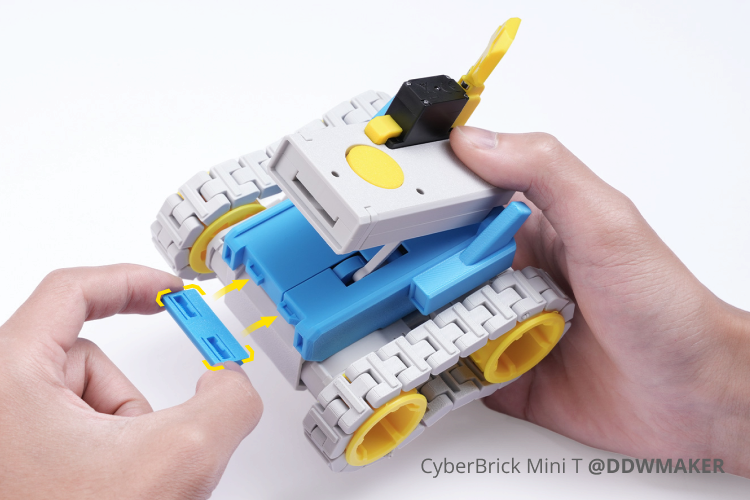
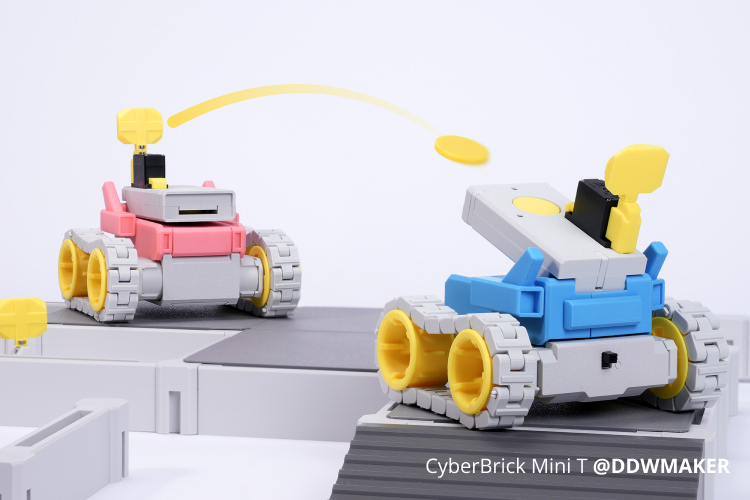
Step into the world of the CyberBrick Mini T, where creation and combat meet in the palm of your hand. This remote-controlled tank is engineered for effortless 3D printing—requiring no supports or glue—and assembles seamlessly with the official CyberBrick Starter Kit. Hone your skills in solo target practice or challenge a friend to an epic tank duel. The modular battlefield components let you redesign the terrain for endless replayability. More than a model, it's your personal arsenal of fun.
Ready to Command Your Battlefield?
Find all files and details on its MakerWorld Page.
*For a smooth build, we recommend reviewing the assembly guide first.
Rich Gameplay, Endless Fun
The CyberBrick Mini Tank is not just an RC tank—it's a dynamic battle platform for creative expression.
Whether in solo training or multiplayer competition, you have full control over everything from the tank's appearance to target setup.


Smooth Control
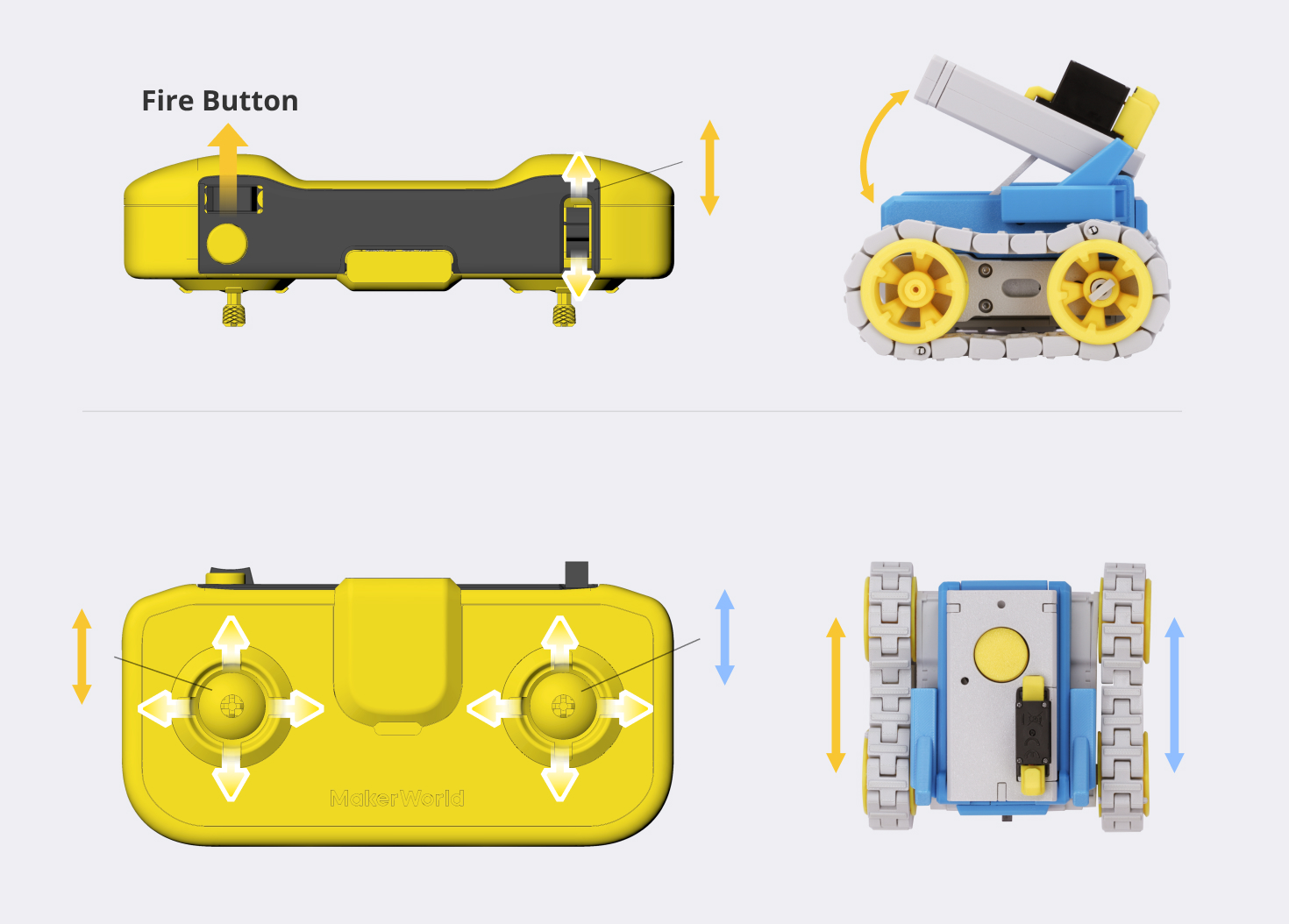
- Dual Control Modes: Two built-in control modes allow seamless switching via the CyberBrick app, making it easy to get started.
- Flexible Moving: Unique track design enables on-the-spot turning, allowing smooth navigation even in tight spaces.
- Dynamic Firing Adjustment: Real-time barrel angle adjustment enables precise "point-and-shoot" accuracy while moving.
Your Battlefield, Your Rules
- Custom Color Schemes: Choose your preferred filament color to print tank exteriors, creating unique battlefield identifiers.
- Unlimited Ammo Supply: Both discs and targets are 3D printable, allowing on-demand printing for continuous ammunition.
- Modular Battlefield: 3D-printed terrain components support flexible assembly, enabling custom battlefield layouts built like interlocking bricks.

Beginner-Friendly
- Officially Verified Design: Both the model and instruction manual are officially tested to ensure successful printing and smooth assembly.
- All-in-One Experience: Purchase a mini tank and get screwdriver tools for free, so even beginners can assemble it easily.
- Simplified Assembly: Requires no supports or glue, and uses snap-fit designs to significantly reduce screw usage, saving your printing and assembly time.

Remote Control Instruction
The Mini Tank is designed to work with the CyberBrick Official Remote. The creator has uploaded pre-configured settings for immediate play,
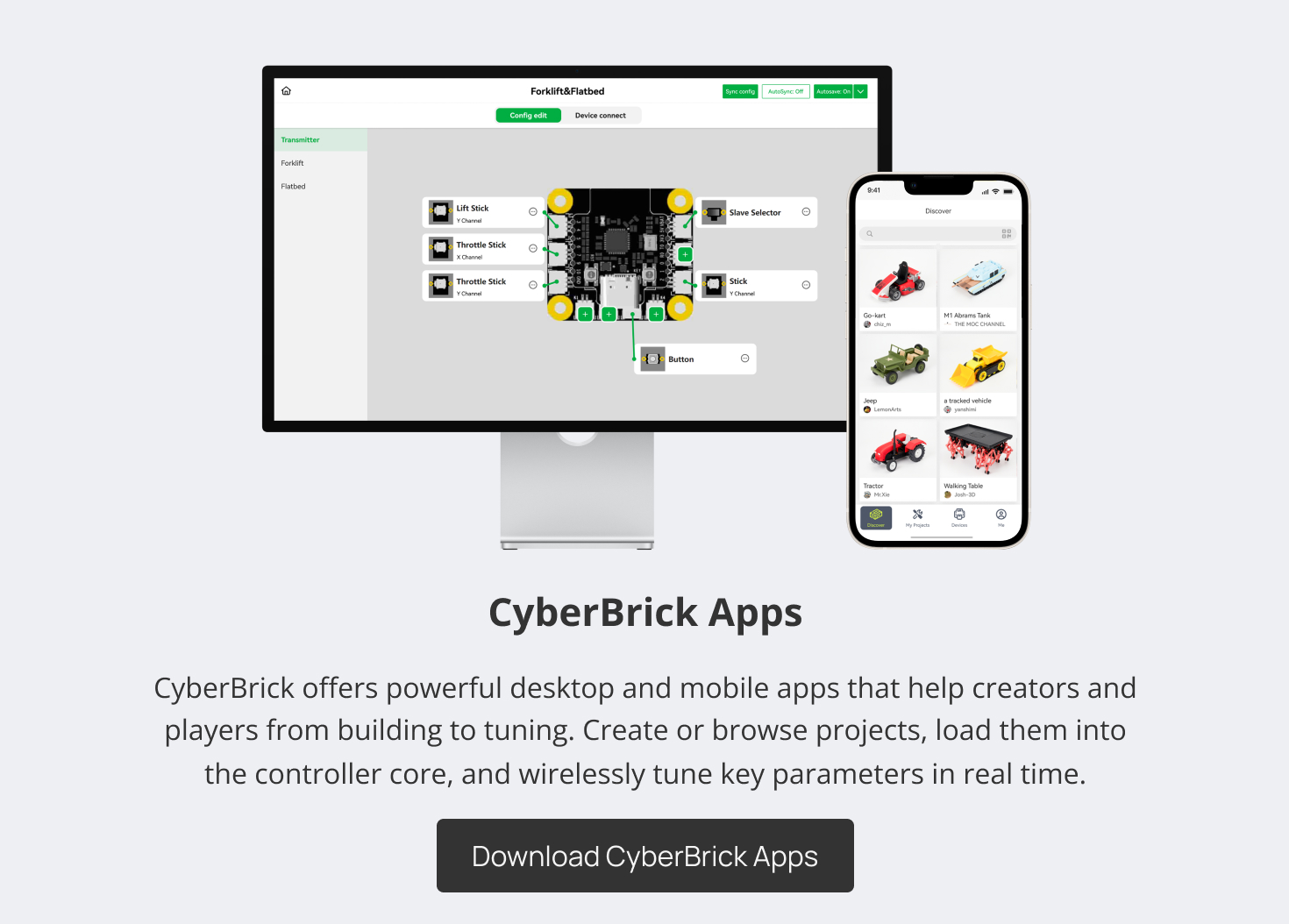
while the CyberBrick App allows full customization of controller functions to match your personal preferences.
* Please visit the CyberBrick Official Standard Remote on Makerworld for more details.
Visit our official Wiki to discover comprehensive resources and answers to all your questions.
CyberBrick App Connection Tutorial
*The following is the App connection of CyberBrick Official SoccerBot as an example, which is similar to the Mini Tank.
In The Box
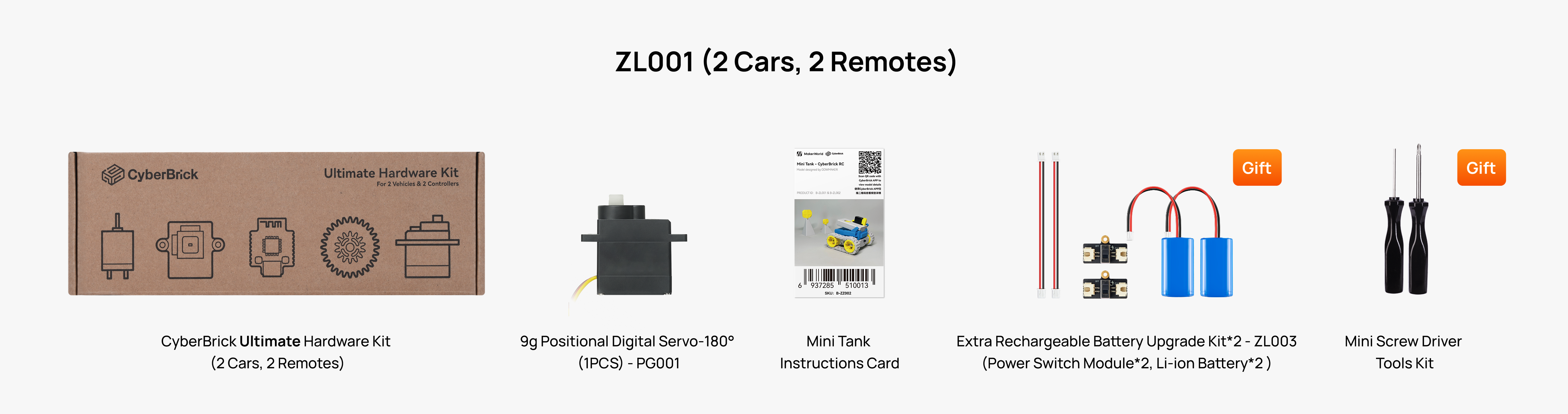
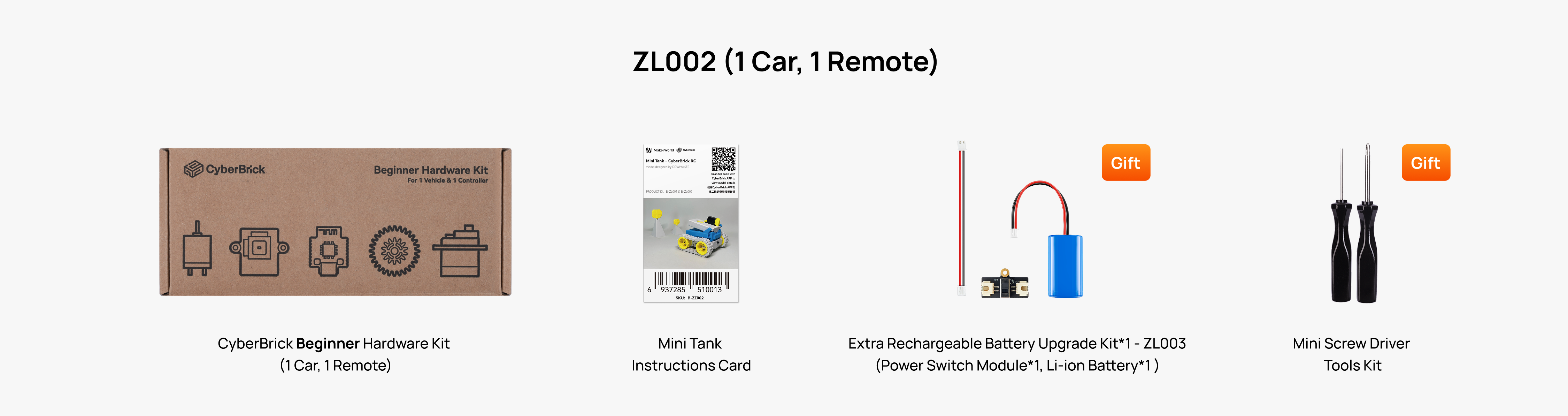
| Item Number | Item Name | ZL001 ( 2 Cars, 2 Remotes) | ZL002 (1 Car, 1 Remote) |
| 1 | 1 | - | |
| 2 | - | 1 | |
| 3 | 9g Positional Digital Servo-180° (1PCS) - PG001 | 1 | - |
| 4 | Mini Tank Instructions Card | 1 | 1 |
| Gift Number | Gift Name | ZL001 ( 2 Cars, 2 Remotes) | ZL002 (1 Car, 1 Remote) |
| 1 | 2 | 1 | |
| 2 | Mini Screw Driver Tools Kit | 1 | 1 |
Documentation
Important Notices
To ensure safety, please read and carefully follow the guidelines below. Minors must be under direct adult supervision when using this product.
- Intended Users: This product is intended for users aged 16 and above. Users under the age of 16 must be under direct adult supervision throughout use.
- Core Safety Rules: It is strictly prohibited to launch discs at people, animals, glass, fragile objects, or any property. The product may only be used to shoot at designated targets or for battles with other tanks.
- Firmware Safety: Please use only official tools for any firmware operations. Flashing with third-party tools is not supported and may cause irreversible damage, which is not covered by warranty.
- Operational Safety: Do not touch the moving tracks or wheels while the device is operating to prevent pinching injuries, and do not make any modifications to the launcher.
- Battery & Charging: DO NOT use chargers with output higher than 5V or 2A, only the officially designated battery and charger must be used. Avoid exposing the battery to high temperatures or water.
- Maintenance & Storage: Before use, inspect all 3D-printed parts and sand down any sharp edges or burrs if present. Store the model and small parts in a location out of reach of children and pets to prevent choking hazards.
Our company is not liable for any equipment damage, failure, fire, or other loss caused by non-compliance with the above requirements.
Please strictly follow the safety instructions for this product.