


Shop genuine Bambu Lab parts and accessories at InnoAddi — your authorized Bambu Lab reseller in the USA. Every item is 100% genuine Bambu Lab, packed and shipped by us.
Downloads

Instruction
-
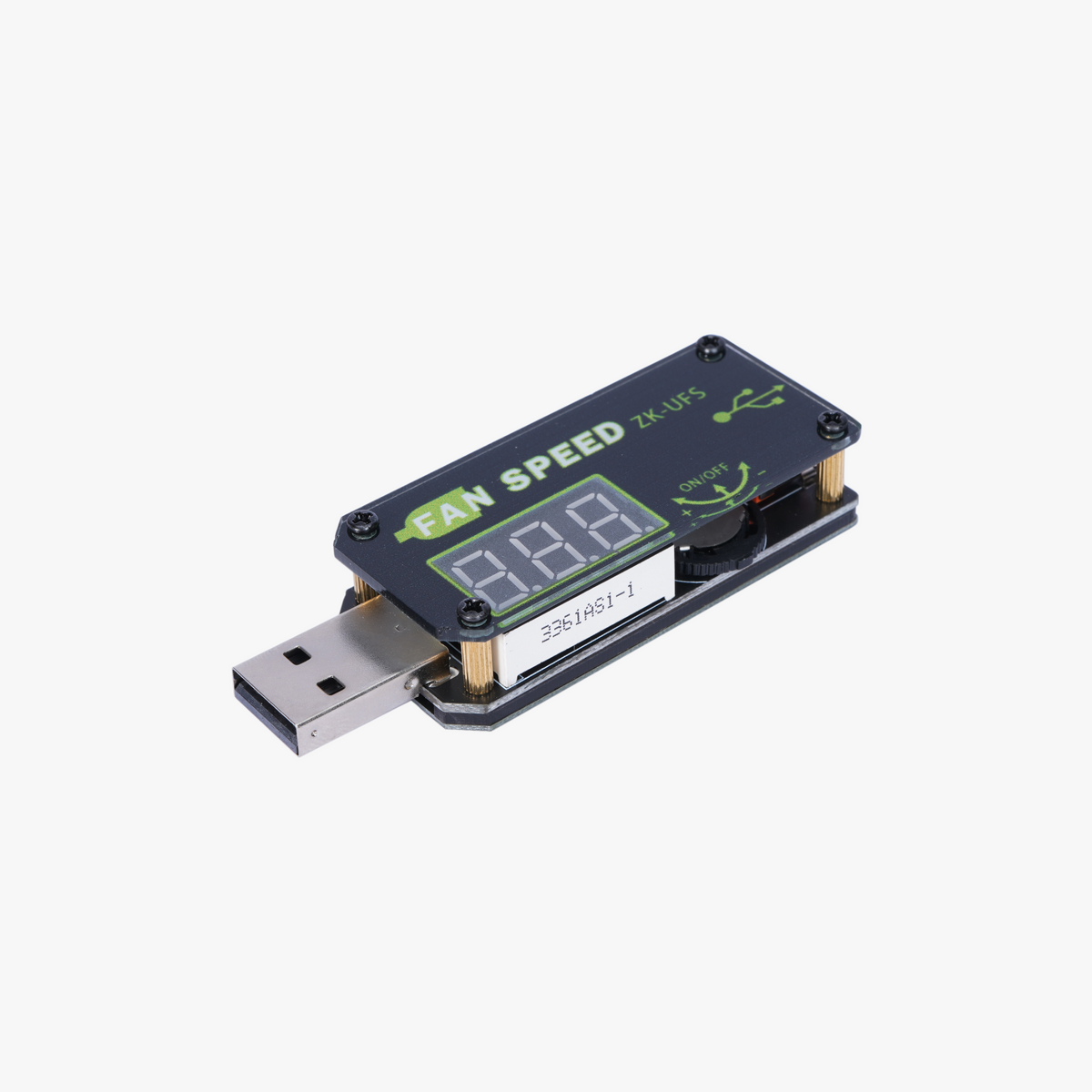
Plug the connector of the USB Speed Controller into a power source such as a phone charger, power bank, or computer USB interface (Ensure that the power of the power port is greater than the power required by the USB Speed Controller). Then, connect the TT motor with the female port of the speed controller. The speed controller defaults to output on.
-
Turn the thumbwheel counter-clockwise to increase voltage. Turn clockwise to decrease voltage.
-
Click the thumbwheel once to turn output ON/OFF.
-
Double-click the thumbwheel to turn off the LED display. Press any button to wake up the digital display.
Product Specifications
|
Product ID
|
Input Voltage
(V) |
Output Voltage
(V) |
Max Output Power
(W) |
Timer
(min) |
Product Size
(mm) |
| IA002 | 4.0V-12V | 2.5V-8.0V | 5W(Do not overload!) | 0-999 mins | 72x25x15 |
Product Feature
-
Soft-start function
-
CNC voltage regulation
-
Automatic shutdown function
-
Double-click to turn off digital display screen
Timing Setting
-
Long press the thumbwheel for 3 seconds to enter the time setting interface. The "---" display represents timer OFF, and the number displayed represents timer ON.
-
In the setting interface, click the thumbwheel once to switch timer function ON/OFF.
-
In the setting interface, turn the thumbwheel to the left side to increase the timer. Turn it to the right to decrease the timer.
-
Long press the thumbwheel for 3 seconds to exit the interface and countdown starts.


